01
See what is there
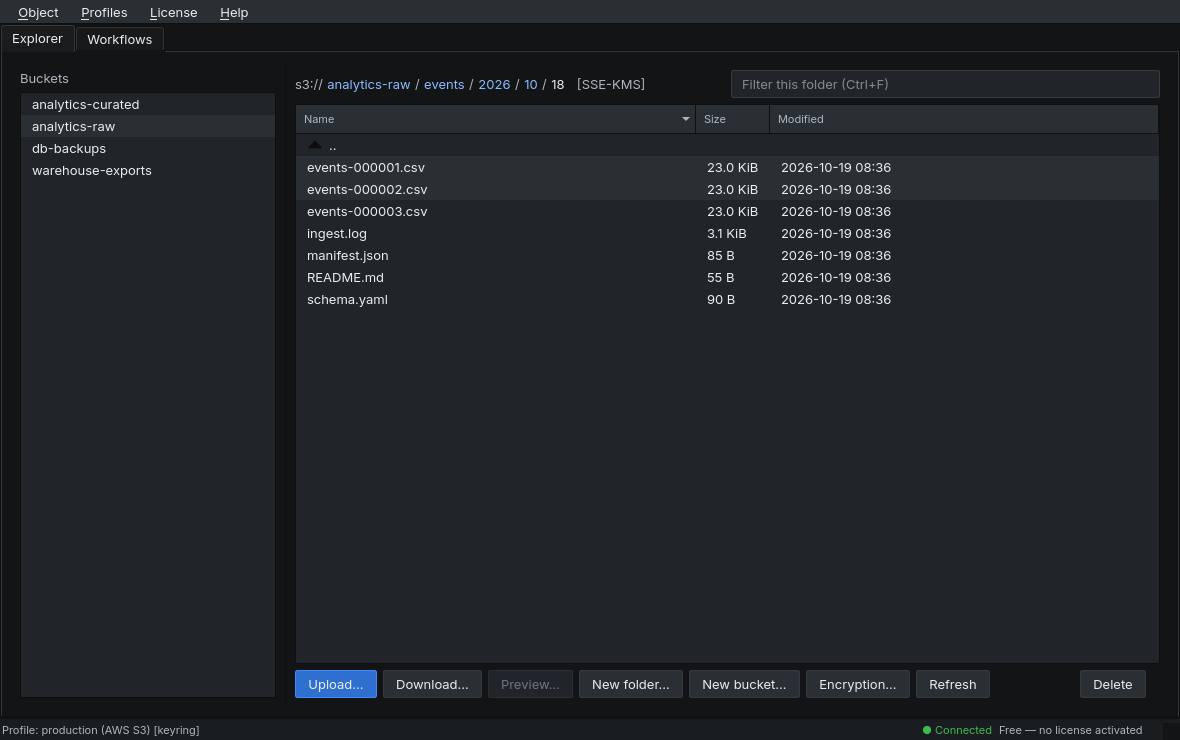
Buckets, folders and objects in one window, with size and
modification date. No aws s3 ls, no counting output
lines.
S3Flow — version v0.9.0-beta.1
See, search and move your S3 buckets — a desktop app instead of a console.
01
Buckets, folders and objects in one window, with size and
modification date. No aws s3 ls, no counting output
lines.
02
Copy, move, upload and download with progress and a way to cancel. Before every writing step, you see what is about to happen.
03
Build recurring jobs as a workflow of nodes, run them, and read in the log what actually happened.
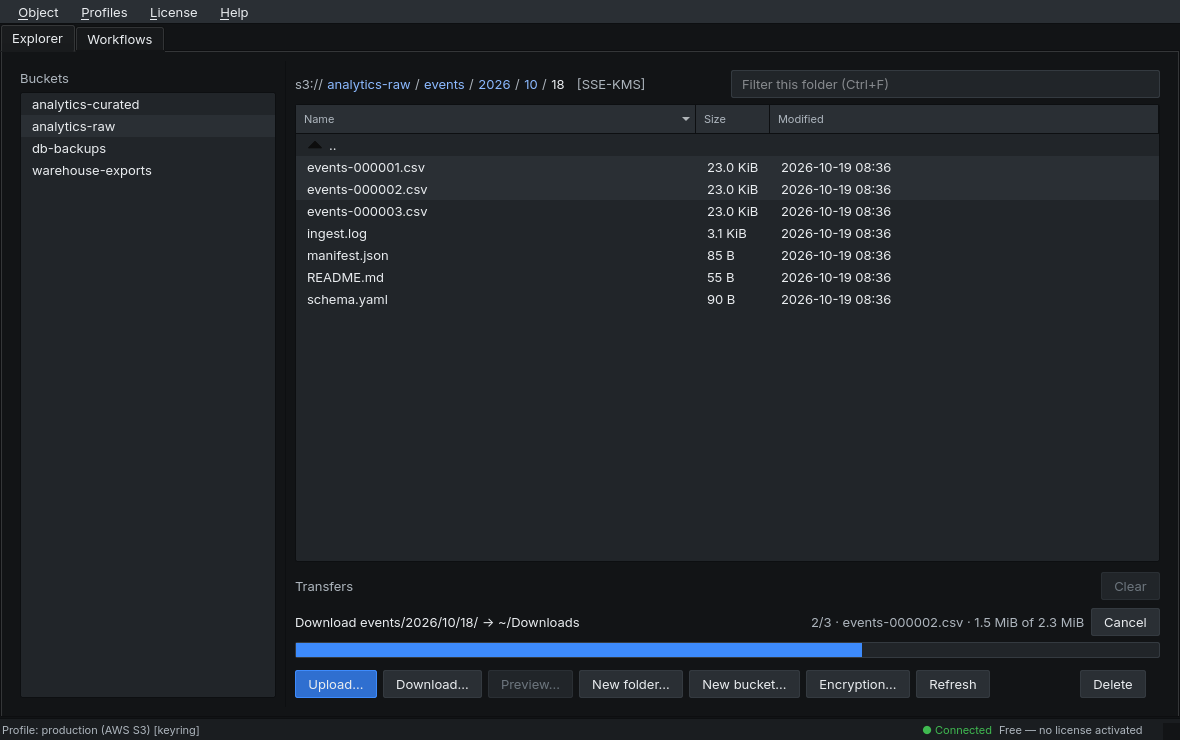
A look at the S3Flow interface.
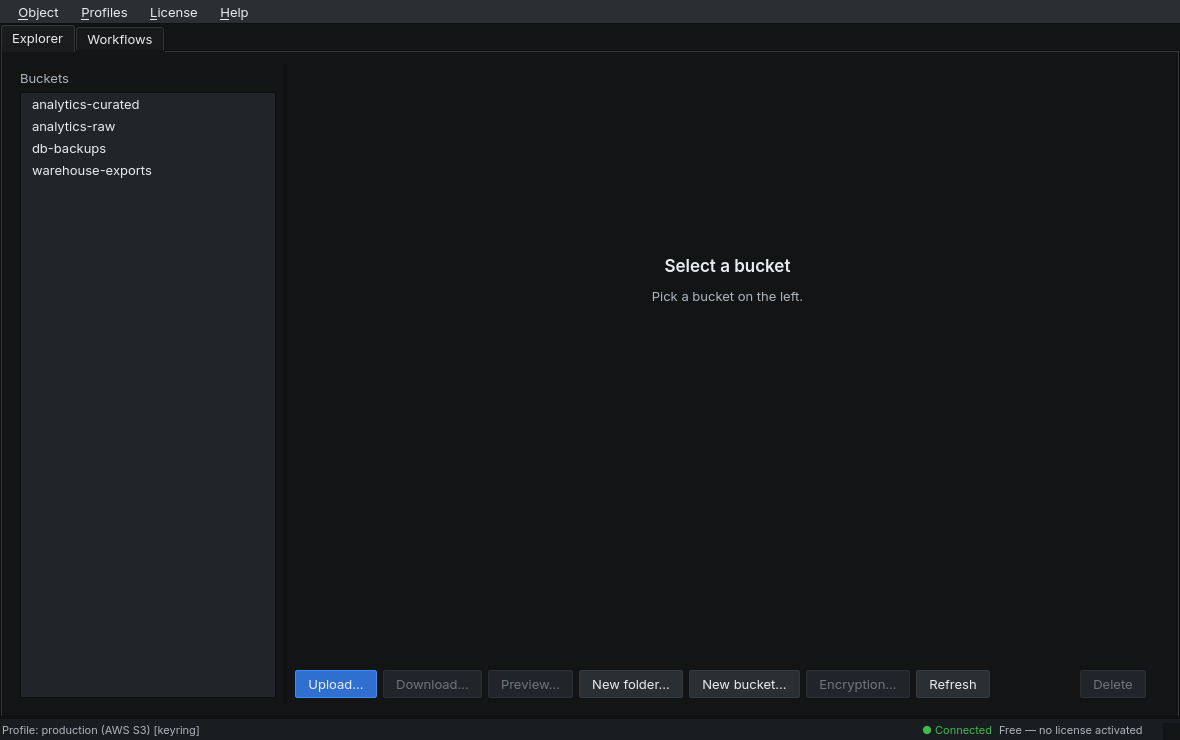
Browse buckets and objects, upload, download, delete, create folders and buckets. The path bar is clickable and can be typed into with Ctrl+L; the folder filter sits on Ctrl+F.
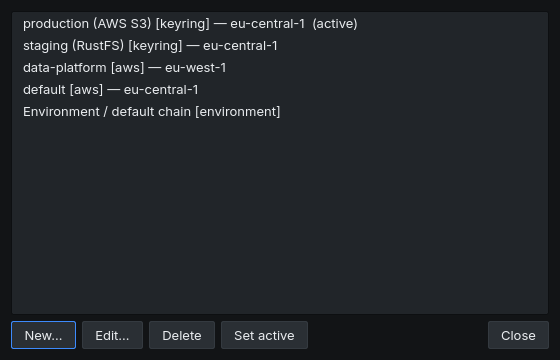
Several endpoints and accounts side by side: your own profiles,
the profiles from ~/.aws/credentials, and the default
chain from environment variables and instance roles.
Your own credentials live in the OS keyring, never in plaintext in
the config. From ~/.aws/credentials, S3Flow reads only
the names and regions — the credentials stay where they are and
are never copied.
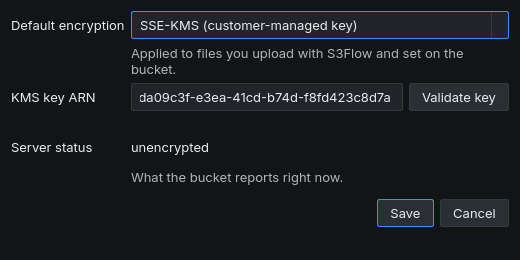
Set per bucket: off, SSE-S3, or SSE-KMS with a key ARN. The configured state stays visible in the path bar, so it is never unclear what an upload will be encrypted with.
A KMS key is validated against the service before saving, instead of surfacing on the first failed upload. Next to it, the dialog shows what the server reports right now.
Copy and move single objects or whole prefixes, across buckets too. Relative paths are kept, and encryption follows the target bucket's setting.
Every transfer gets a row with progress, a file counter and a cancel button. Cancelling cleans up partial uploads; steps that already completed stay as they are and are never silently rolled back.
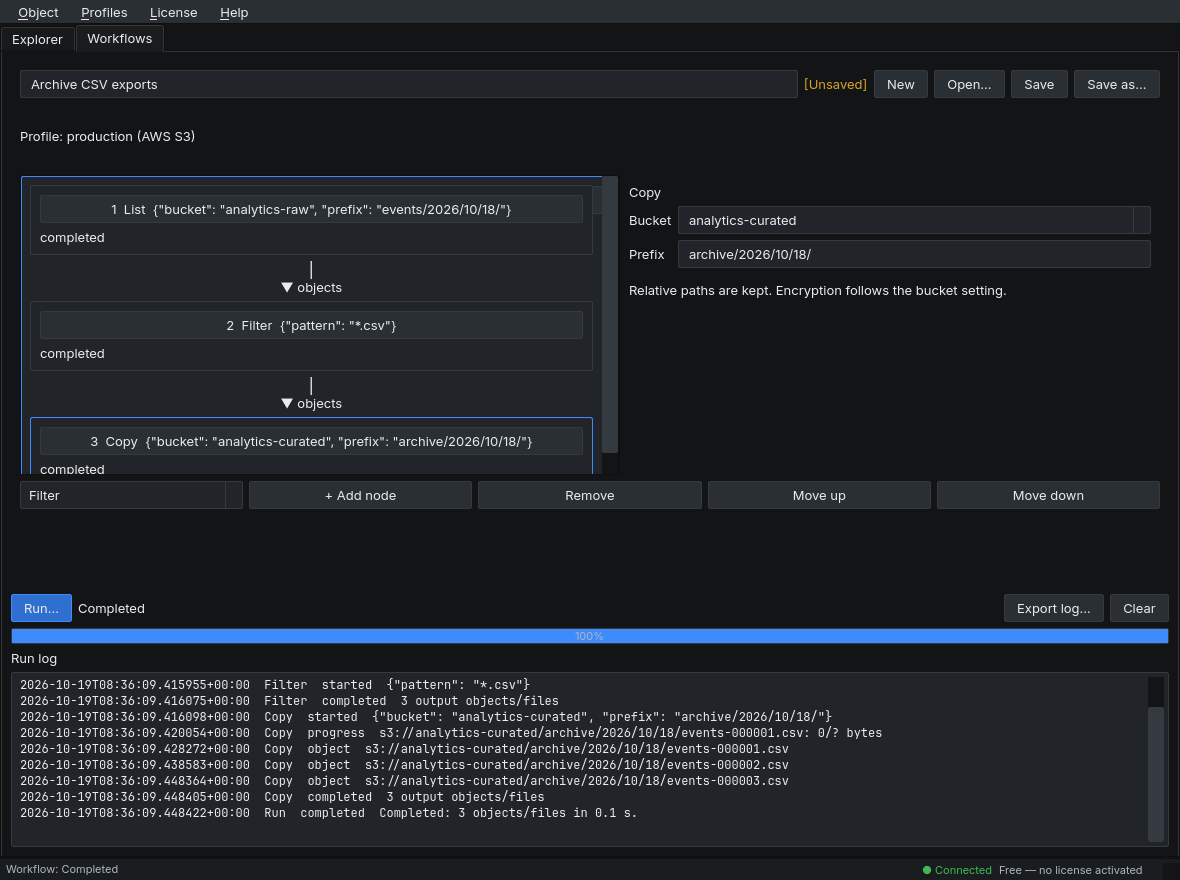
Build recurring jobs as a chain of nodes: List, Filter, Copy, Move, Delete, Download and Upload. S3Flow only offers the nodes that make sense at that position.
Before a run, a confirmation shows the whole chain with every parameter. While it runs, each step writes to the log, which can be exported. A run stops at the first error. Workflows are plain JSON files and never contain credentials.
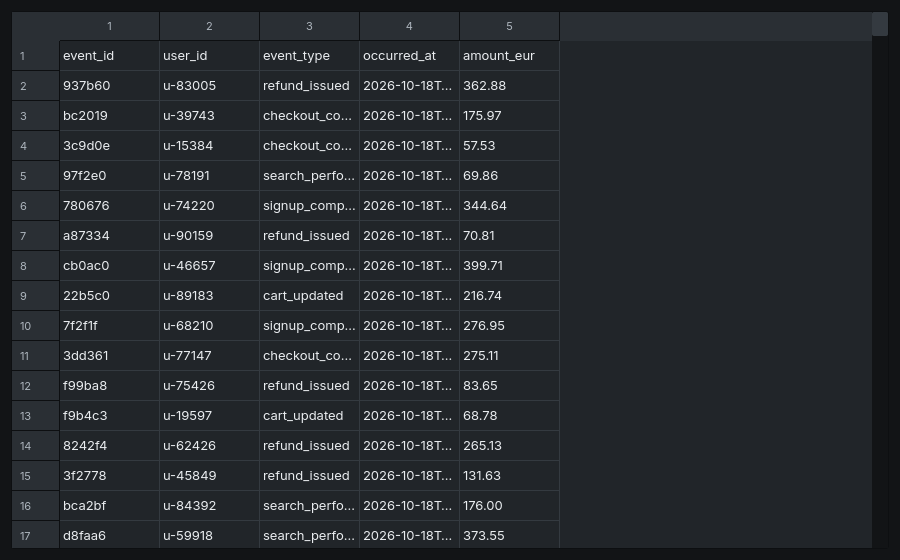
Look at text files and tables directly: txt,
md, log, json,
xml and yaml as text,
csv and ssv as a table.
S3Flow only fetches the beginning of the object it needs. Large files are capped at 100,000 rows or 50 MB — with a visible notice, never silently.
To the S3 endpoint you enter in the profile — and, for the update check, to a static version file. The update check only reports that a newer version exists and shows a download link. It installs nothing on its own.
v0.9.0-beta.1 · Linux and Windows
Packages directly from dreaMake.dev, with SHA-256 checksums and getting started notes.
| Storage | AWS S3 and S3-compatible endpoints — among them RustFS, MinIO, Wasabi and Cloudflare R2. |
|---|---|
| Built with | Python and Qt (PySide6), shipped as a standalone executable. No Python installation is required on the target machine. |
| Platforms | Linux and Windows. macOS is planned for after the beta. |
| Free for personal use | The free version contains the full explorer. Nothing in the core is switched off. |
| License | A license key unlocks guaranteed updates until its expiry date, plus extended support. It is verified offline via an Ed25519 signature. |
| Updates | With a valid license, the app checks a static version file at startup in the background and shows a download link. It installs nothing on its own. |